

MANAGE

In the manage mode you see a list of newsletters.


This is just an example screen of a list of newsletters. Here we have only one newsletter. The table shows us some of its properties such as the newsletters id, title, when it was created and when it was sent. The highlighted newsletter is selected.


The bottom menu will look like this:


insert image here
insert image here

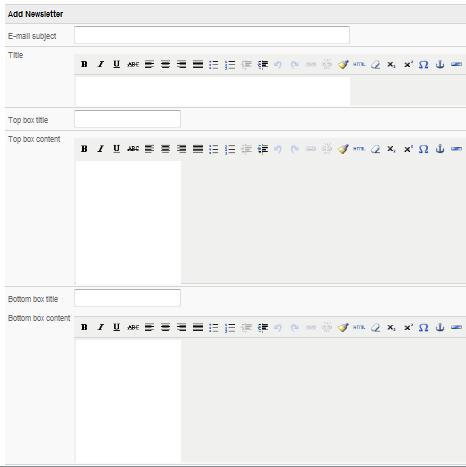
Add         - This function allows you to add a new newsletter. When clicked the link will lead you to edit mode where you will have fields such as: e-mail subject, title, top box title, top box content, bottom box title, bottom box content, top header, top content, top link, middle header, middle content, middle link, bottom header, bottom content, botton link, left footer, right footer to fill in.

Your screen should look like this:

insert image here
insert image here

Edit        - This option allows you to edit the text in the newsletter. Your screen will look the same as in the Add mode. The only difference will be that in the fields will be the text of the edited newsletter.


Disable        - This option disables or enalbes a newsletter.


Delete        - This option will delete the selected newsletter.


Manage  


Send        - After clicking this option you will see a list of subscription groups. The newsletter will be sent to the selected group.

insert image here
insert image here
insert image here
insert image here
insert image here